
Step 1
To begin, log into the platform. Navigate to the Digital Signage dropdown and select the Content Request Form. This is where you can request custom content from our design team tailored for your location.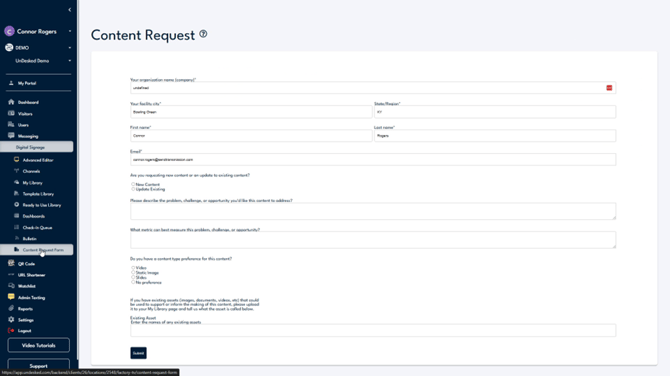
Step 2
First, enter all relevant location-based information. Specify whether your request is for new content or an edit to existing content. Provide a detailed description of your content request in the subsequent sections, including any pertinent materials needed for creation. The turnaround time depends on the complexity and current workload.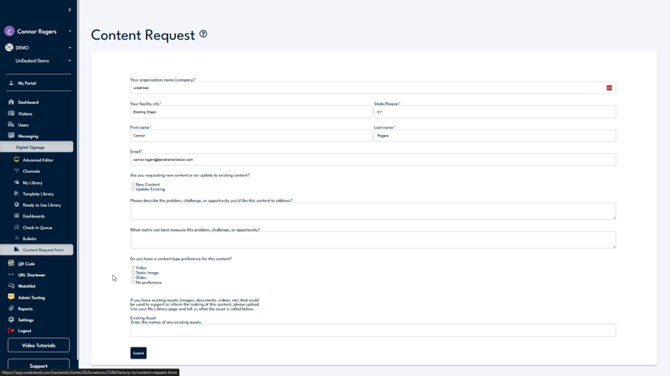
Step 3
If you are working with a specific timeline, please inform us so we can accommodate your needs. For any additional inquiries, click on the Support button located at the bottom left of the navigation bar. From there, you can choose to view our support information by clicking Contact Support, or create a ticket for our internal support team by clicking Support Help.