It’s not uncommon for messages from our system to be sent out and delivered to your mobile carrier but not delivered to your phone. Often times your mobile carrier has accepted the message from our system. It does not guarantee the message was displayed on the phone. Final delivery decisions are made by the carrier and the device.
Why This Happens
• Carrier spam filtering
• Phone-level spam or junk filtering
• Recipient opt-out or number blocking
What We Can Do
1. Check our servers to make sure the message was sent
2. Check global block/op-out list within UnDesked
What You Can Do
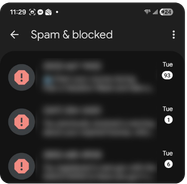
1. Check Spam or Junk folders (see images below for both Android and iOS)
2. Search for our number: (984) 223-5143
3. Temporarily disable spam filtering
4. Add the sender to Contacts
5. Confirm the number is not blocked
Still Not Delivering?
You will need to contact your carrier. The issue is most likely that the carrier level SPAM filter has stopped the message from even being sent to your phone. UnDesked is unable to do this on your behalf.
For iOS:
1. Navigate to your Messages and click on the menu icon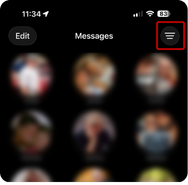
2. Click on Spam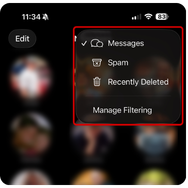
3. Unblock the number/add to contacts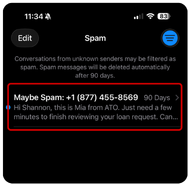
For Android:
1. Navigate to your Messages and click on the picture icon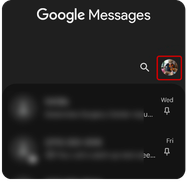
2. Click on Spam & Blocked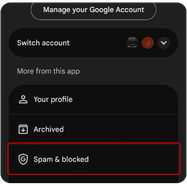
3. Unblock the number/add to contacts